Skip to content
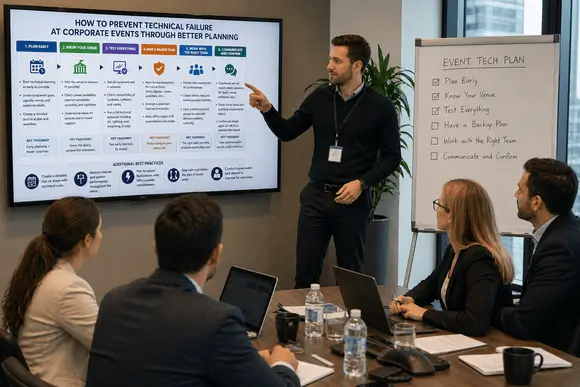
Technical failure at a corporate event is never an accident. It’s a planning problem. But you can prevent it by planning the tech early, surveying the venue in person, locking content ahead of time, rehearsing the show end-to-end, naming who’s responsible on the day and building simple backups for microphones, playback, internet and power. Do that, and most technical failures never reach the audience.
The UK events sector keeps growing. PSA reported the industry at £68.7 billion in its 2025 report (PSA Report), which shows how much value and visibility now sit behind live events. When the room is full of clients, staff, partners, or press, small technical mistakes can quickly turn into big brand problems.
At the same time, expectations have gone up. Corporate audiences expect clear sound, sharp visuals, smooth transitions, and reliable streaming. They do not care why something failed. They only notice that it did.
So the real question is not, “What do we do when the tech fails?” The better question is, “How do we stop failure from happening in the first place?”
The real root causes of technical failure at corporate events
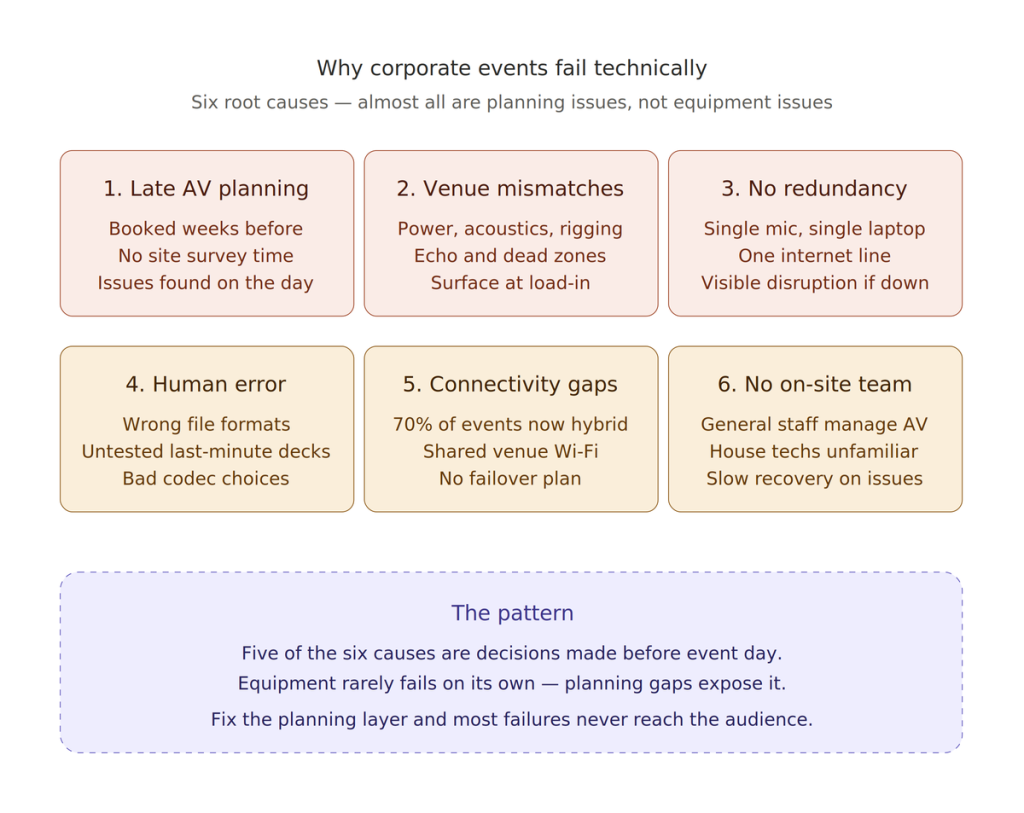
The majority of AV failures are not equipment failures. They are planning and coordination failures. Understanding the root causes is the first step toward preventing them.
1. Late AV planning
One of the most common mistakes is treating AV as an afterthought, something to book two or three weeks before the event. By that point, preferred suppliers are unavailable, there is no time for a proper site survey, and any compatibility issues only surface on the day itself. Technical requirements should be scoped out at the same time as the venue, not after it is confirmed.
2. Venue technical mismatches
Every venue has different power infrastructure, acoustics, ceiling heights, and rigging restrictions. A sound system that performed perfectly at your last venue may produce echo, dead zones, or overloaded circuits at a different location. Ballrooms, historic buildings, and non-purpose-built conference spaces often require significant technical adaptation. Without a proper pre-event site survey, these issues surface at load-in, when there is no time to resolve them properly.
3. No redundancy built into the setup
Single points of failure are the most dangerous elements in any event tech stack. A single microphone, a single laptop running the presentation, a single internet connection, any of these failing without a backup creates a visible, unrecoverable disruption. Redundancy is not extravagance; it is the baseline for professional event delivery.
4. Human error, the most underestimated risk
Slides saved in the wrong format, incompatible video codecs, last-minute file updates from presenters that have not been tested, and untested laptop connections all account for a large share of on-the-day disruptions. They are not random equipment malfunctions. They are avoidable with a structured pre-event file management process and a dedicated presentation operator.
5. Connectivity without contingency
With 70% of events now offering hybrid or virtual attendance options, internet connectivity has become mission-critical infrastructure. Yet many event organisers rely on the venue’s standard Wi-Fi, which may be shared with hotel guests, under-provisioned, or have no failover. A single broadband drop can knock out the live stream, the event app, real-time polls, and digital registration simultaneously.
6. No dedicated on-site technical team
Having equipment without an experienced, dedicated technical team to operate it is a common and expensive mistake. Some organisations delegate AV management to general event staff or rely on venue house technicians who are unfamiliar with the full production setup. When something goes wrong, and something will, the difference between a five-second fix and a five-minute crisis is whether the right person is already in position.
The difference between reactive planning and preventive planning
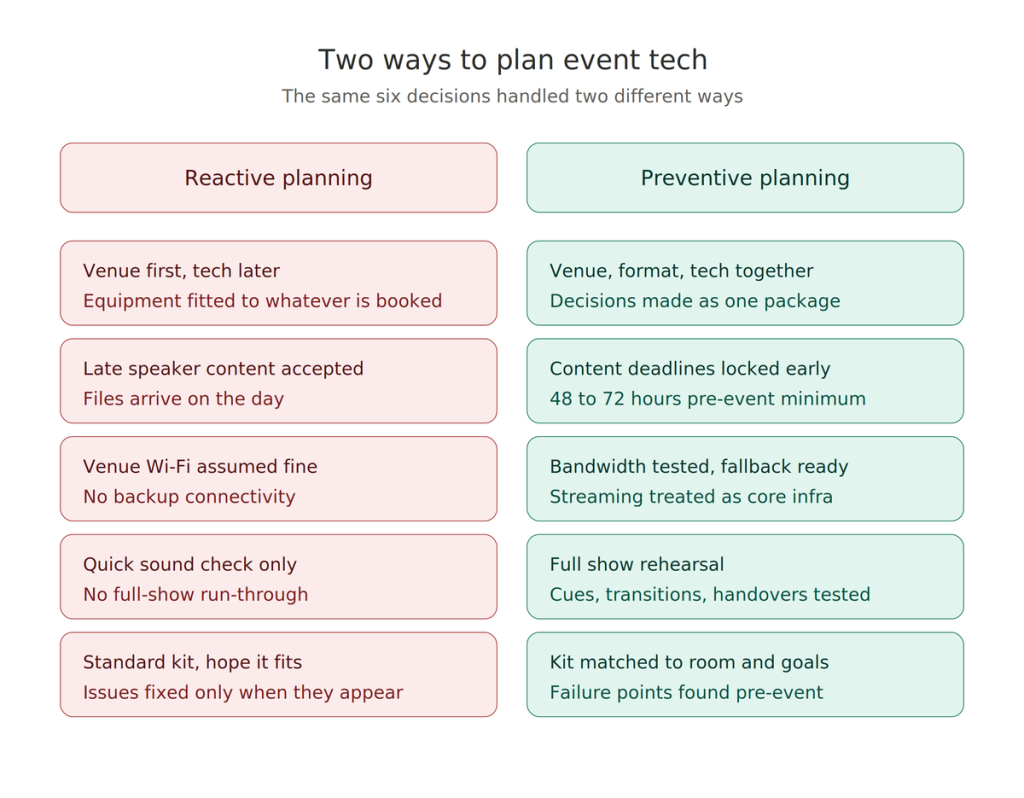
Many event teams blame the equipment when something goes wrong. In reality, the equipment often exposes a planning gap.
| Reactive approach | Better planning approach |
| Books the venue first and figures out the tech later. | Plans venue, format, and technical needs together. |
| Waits for the final speaker’s content at the last minute. | Sets early deadlines and checks files in advance. |
| Assumes the venue’s internet will be fine. | Tests connectivity and plans fallback options. |
| Runs a quick sound check only. | Rehearses full show flow, cues, and transitions. |
| Brings the standard kit and hopes it fits. | Matches equipment to room, audience, and goals. |
| Fixes issues only when they appear. | Identifies likely failure points before event day. |
How can you prevent technical failure during the live corporate event?
Preventing technical failure during a live corporate event requires a proactive approach focused on rigorous testing, redundancy, and professional expertise. Technical glitches can ruin the attendee experience, but most are avoidable with proper planning. Follow the steps below to prevent it:
1. Involve your AV partner early
Start technical planning early. Do not treat AV as the final item on the checklist.
Bring your AV and production team into the process while you still shape the event format, audience layout, and content plan. Needs analysis is one of the most important stages in the process because it defines what the system must actually do.
That early input helps you answer the right questions:
- What does the audience need to see and hear?
- Will the event include video playback or live streaming?
- Do speakers need comfort monitors or confidence screens?
- Does the room need reinforcement audio or just speech support?
- Will lighting affect visibility on screens?
- How much time will setup and rehearsal need?
When teams skip these questions, they make technical decisions too late.
Some event production companies in London, like EMS Events, support both event production and equipment rental services. That joined-up support helps clients make better decisions earlier instead of patching things together later.
2. Build a proper technical brief
A venue booking does not equal a technical plan. You need a brief that explains what the event must achieve and what the production needs to support. Keep it practical. Keep it clear.
Your technical brief should cover
- Event purpose.
- Audience size.
- Room layout.
- Stage format.
- Speaker requirements.
- Presentation format.
- Video content.
- Livestream or hybrid needs.
- Accessibility needs.
- Event timings.
- Venue restrictions.
This gives everyone the same starting point. It also cuts down on assumptions. An unclear brief creates imprecise planning. That unclear planning creates problems.
3. Carry out a real site survey
A proper site survey does far more than confirm where the stage will go.
It helps the team test the room, understand limits, and spot hidden risks early. The team must also check signal paths, networking services, display quality, and wireless microphone performance before final sign-off.
What to check during a site survey
- Power supply and distribution.
- Load-in and load-out access.
- Rigging points and ceiling height.
- Audience sightlines.
- Natural and house lighting.
- Room acoustics.
- Control desk position.
- Stage access.
- Internet reliability.
- Venue rules on timing, noise, and equipment.
A quick walk-through is not enough for a complex event. You need a technical survey with a purpose.
4. Treat internet and streaming as core infrastructure
If your event includes streaming, hybrid guests, cloud-based presentations, or live polling, the internet becomes part of the production system.
Do not assume public venue Wi-Fi can handle it.
Check bandwidth, stability, and who else uses the network. Plan for a backup if the event depends on connectivity.
Some rental and event production companies like EMS Events also offer webcasting and streaming support. This gives the team a more realistic view of what a live or hybrid setup needs before the event begins.
5. Set firm content deadlines
Late content creates chaos. A speaker sends a revised deck one hour before doors open. A video file arrives in the wrong format. A font changes. An embedded clip does not play. Suddenly, the team scrambles to fix a problem that should never have reached event day.
You can avoid most of that by setting clear deadlines.
A simple rule
Ask speakers to submit final content 48 to 72 hours in advance for standard corporate events. For high-profile or multi-speaker events, ask for content earlier.
That gives the technical team time to:
- Test playback.
- Confirm aspect ratios.
- Load the right versions.
- Rename files clearly.
- Cue the video correctly.
- Check for missing fonts or media.
This sounds basic, but it prevents a lot of visible mistakes.
6. Rehearse the full event, not just the kit
A sound check does not equal a rehearsal. You need to rehearse the event as the audience will experience it. That means testing speakers, cues, movement, handovers, and timing.
Live Group’s event production advice also points to the risks created by weak preparation and coordination.
Rehearse these elements
- Speaker entrances
- Microphone handovers
- Slide cues
- Video playback
- Session timing
- Panel transitions
- Lighting changes
- Walk-up music
- Webcast handoffs
- Q&A flow
This rehearsal helps the team catch problems while there is still time to fix them.
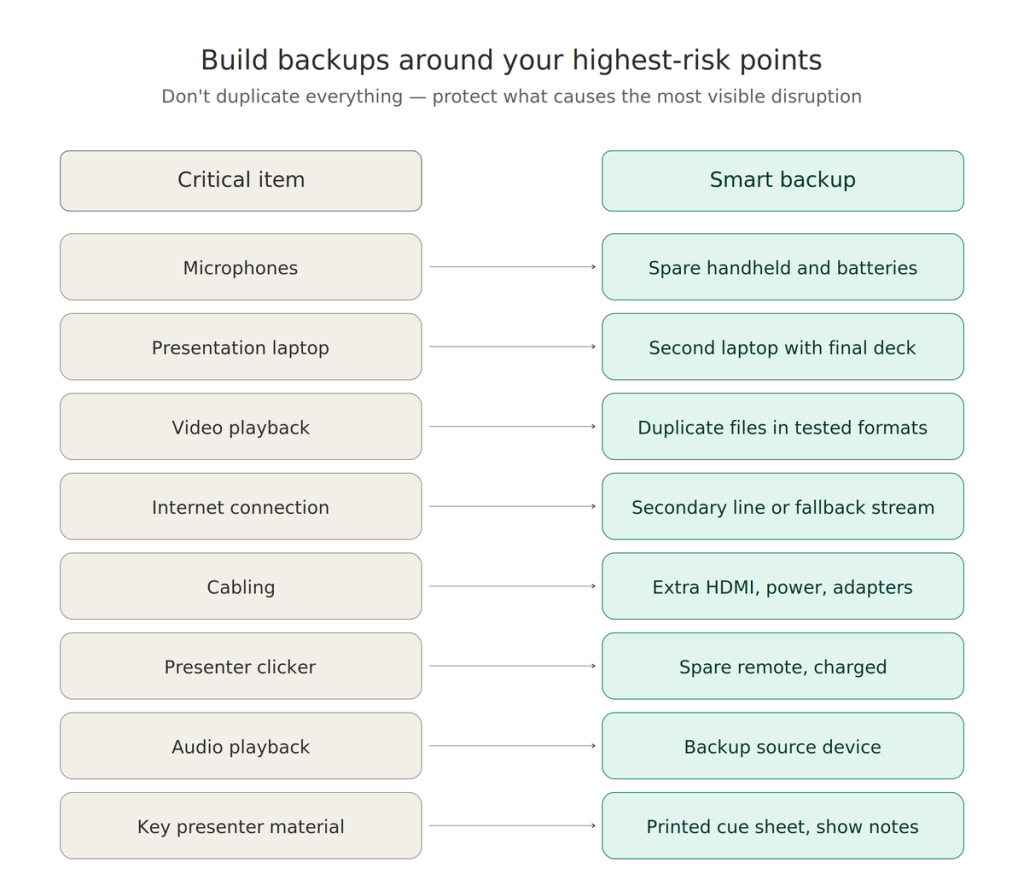
7. Build backup plans around high-risk points
Do not try to duplicate everything. Protect the things that can cause the most visible disruption. That usually means planning backups for the parts most likely to fail or create the biggest problem if they do fail.
Core backup checklist
| Critical item | Smart backup |
| Microphones | Spare handheld and spare batteries. |
| Presentation laptop | Second loaded laptop with the final deck. |
| Video playback | Duplicate files in tested formats. |
| Internet connection | Secondary connection or fallback stream option. |
| Cabling | Extra HDMI, power leads, and adapters. |
| Clicker | Spare the presenter’s remote. |
| Audio playback | Backup source device. |
| Key presenter | Printed cue sheet and show notes. |
This approach keeps the event moving even when something changes at the last minute.
8. Make ownership clear
Many technical problems grow because nobody owns the final decision.
- The planner thinks the venue checked the screen position.
- The venue thinks the AV team approved the room setup.
- The AV team thinks the speaker signed off on the deck.
- The speaker assumes someone else loaded the final version.
That kind of confusion creates delays.
Assign clear ownership for
- Final content approval.
- Technical sign-off.
- Show calling.
- Venue liaison.
- Speaker management.
- Issue escalation.
- Livestream monitoring.
When everyone knows who owns what, the team moves faster and makes fewer mistakes.
9. Use a run of show that people can actually follow
A good run of show keeps the event calm. A weak one creates confusion.
Do not overload it with pointless detail. Focus on the information that helps people do their jobs at the right time.
A strong run of show includes
- Crew call time.
- Setup milestones.
- Content check deadlines.
- Rehearsal times.
- Doors open time.
- Speaker arrival times.
- Session start and end times.
- Cue notes.
- Transition notes.
- Contingency notes.
- Key contact names.
Also, use one live communication channel for the team. That might be WhatsApp, Teams, Slack, or radio. Pick one system and keep it.
10. Choose a production partner that can respond quickly
Planning reduces risk, but event teams still need fast support on the day.
This is where operational strength matters. We at EMS Events operate from an 18,000 sq ft facility near Tower Bridge and can respond quickly when urgent changes happen. We have over 30,000 pieces of equipment in stock and broad event production support. That kind of location and logistics advantage can matter a lot in London corporate events where timing is tight, and replacements need to move fast.
That does not just help when something breaks. It helps when the event changes.
- A speaker asks for a different confidence monitor.
- A room layout changes.
- A last-minute panel gets added.
- A cable run needs reworking.
Fast response protects the show.
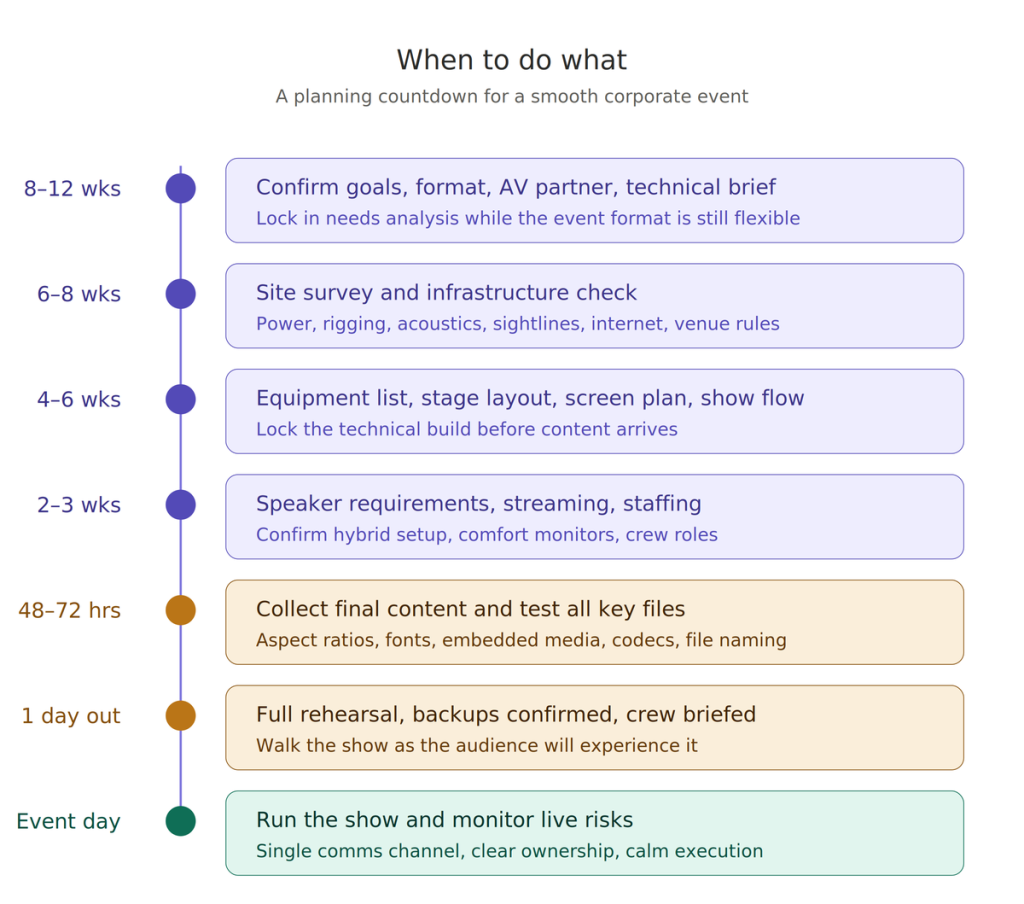
Planning checklist: What to do and when
| Timeline | Action |
| 8–12 weeks out | Confirm event goals, room format, AV partner, and technical brief. |
| 6–8 weeks out | Carry out a site survey and identify infrastructure risks. |
| 4–6 weeks out | Confirm equipment list, stage layout, screen plan, and show flow. |
| 2–3 weeks out | Lock speaker requirements, streaming needs, and staffing plan. |
| 48–72 hours out | Collect final content and test all key files. |
| 1 day out | Rehearse full show, confirm backups, and brief crew. |
| Event day | Follow the run of show, monitor live risks, and keep comms clear. |
Final thought
Technical failure at a corporate event does not usually begin on stage. It begins earlier, when teams rush decisions, skip checks, accept vague briefs, or leave testing too late.
Better planning fixes that.
It gives the team time to ask the right questions, test the setup, rehearse the flow, and prepare backups for the moments that matter most. It also protects the audience experience, which is what clients, guests, and stakeholders actually remember.
If you want a corporate event to feel smooth, professional, and reliable, plan the technical side from the start. Do not leave it until the final week.
FAQs
WHAT CAUSES TECHNICAL FAILURE AT CORPORATE EVENTS?
Poor planning causes most technical failures. Common triggers include weak venue checks, late content, no rehearsal, unclear ownership, and no backup plan.
HOW EARLY SHOULD YOU START AV PLANNING FOR A CORPORATE EVENT?
Start as early as possible, ideally when the event format and venue options are still being discussed. Early planning helps the team assess risks, infrastructure, timings, and equipment needs properly.
WHY IS A SITE SURVEY IMPORTANT BEFORE AN EVENT?
A site survey helps the team check power, acoustics, load-in access, sightlines, internet, and room limits before event day. That reduces surprises and improves setup decisions.
DO ALL CORPORATE EVENTS NEED A TECHNICAL REHEARSAL?
Not every event needs a full stage rehearsal, but any event with multiple speakers, video playback, cueing, hybrid elements, or livestreaming should run a proper rehearsal.
WHAT BACKUP EQUIPMENT SHOULD A CORPORATE EVENT HAVE?
Most events should keep spare microphones, batteries, a backup playback device, duplicate files, essential cabling, and a fallback plan for internet-dependent elements.