Skip to content
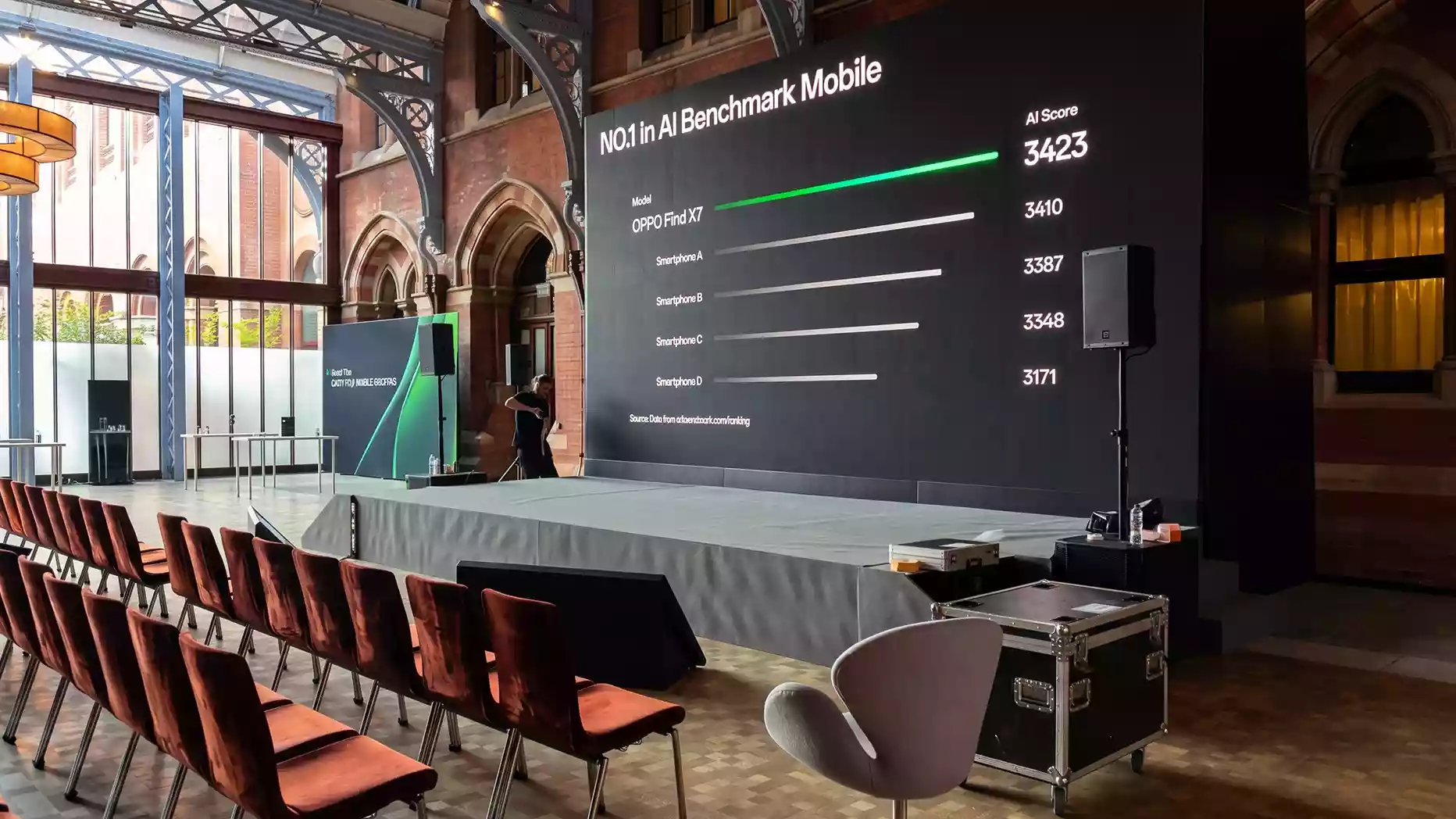
Choose pixel pitch from the closest audience seat, not the audience size. As an early planning shortcut, allow about one metre of viewing distance for each millimetre of pitch. Then confirm the choice against the content, wall dimensions and camera plan. If the first row is 4 metres from the wall, P2.9 or P3 is usually the best-value starting point for a corporate conference. P2.5 or P2.6 may still be justified for detailed content, a compact wall or close camera shots.
A finer pixel pitch can increase your LED wall quote without improving what the audience sees. A pitch that is too coarse can make the pixel grid visible to people in the front row. The best choice starts with one measurement: the distance from the front surface of the LED wall to the nearest occupied seat.
For many corporate conferences, P2.6, P2.9 or P3 balances visible detail with hire cost. Content, wall dimensions and camera use may justify a finer or coarser pitch. We assess each factor before confirming an LED video wall hire specification.
What is LED wall pixel pitch?
Pixel pitch is the distance in millimetres between the centres of two neighbouring LED pixels. A P2.6 panel has a pitch of 2.6 mm between pixel centres. A P3.9 panel has 3.9 mm. A smaller number places more pixels within the same wall area, enabling closer viewing.
A finer pitch does not automatically make every event better. From a greater distance, the audience may not be able to see the extra detail. You could therefore pay more for resolution that provides no visible benefit.
The aim is to choose the coarsest pitch that still keeps the front-row image, presentation content and camera output clear.
How does viewing distance guide the pitch choice?
A common planning rule links one millimetre of pixel pitch with about one metre of viewing distance. This places P2.6 at approximately 2.6 to 3 metres and P3.9 at approximately 4 metres.
Treat this as an early planning shortcut, not a guaranteed viewing distance. Eyesight, brightness, content, processing and panel design can all affect the result.
The front row helps determine pixel pitch because those viewers will notice the pixel grid first. The back row helps determine the physical wall size and text height. Our 500-person LED wall size guide helps you understand how the farthest viewing distance affects these wider sizing decisions.
Conference LED wall pixel pitch at a glance
Use this table for early planning. We still check the venue plan, wall dimensions, presentation content and camera brief before approving the final specification.
| Pixel pitch | Approximate minimum viewing distance | Common conference use |
| P1.2 to P1.5 | 1.5 to 2 m | Broadcast production, compact walls and very fine detail. |
| P1.9 | 2 to 2.5 m | Executive meetings, detailed data and close camera views |
| P2.5 or P2.6 | 2.5 to 3 m | Corporate conferences with seating near the stage. |
| P2.9 or P3 | 3 to 4 m | Conferences, AGMs and presentation-led events. |
| P3.9 | 4 to 5 m | Awards, gala dinners, large-stage video and large graphics. |
| P4.8 and above | 5 to 6 m or more | Outdoor stages, concerts and long-distance viewing. |
These distances are planning ranges rather than fixed limits. The right choice still depends on the content, wall size, panel design and camera setup.
Is P2.5 overkill when the nearest viewer is 4 metres away?
For standard conference content, P2.5 is usually finer than the in-person audience needs when the closest viewer is 4 metres from the LED wall. P2.9 or P3 can provide a similar perceived result for presentation slides, brand films, and large text while reducing equipment costs.
P2.5 and P2.6 fall within the same broad planning range for this decision. At 4 metres, most viewers will not notice the difference between them. A compact wall or unusually detailed content can still favour P2.5
P2.5 or P2.6 can still be justified when:
- The wall is compact and needs more pixels within a smaller area.
- Slides contain small labels, detailed charts or fine lines.
- Cameras frame the LED wall closely behind a speaker.
- The LED wall forms a major part of a recording or livestream.
- The production team needs more flexibility when positioning content on the screen.
In these cases, the higher pixel density gives the content and camera teams more usable resolution, even when the audience begins 4 metres away.
P3.9 may reduce the panel cost, but 4 metres is close to its approximate planning limit. It can work well for video, large graphics and large text. We would test the actual presentation files and camera setup before choosing it for small text, detailed diagrams or close shots.
For most corporate conference briefs with a 4-metre front-row distance, P2.9 or P3 is the better starting point.
How do wall size and content affect the result?
Viewing distance is only the first check. The wall dimensions also control its total pixel resolution. Divide the wall width in millimetres by the pixel pitch to estimate the horizontal resolution.
For example:
- A 5,000 mm-wide wall at P2.5 provides approximately 2,000 pixels across.
- The same wall at P3 provides approximately 1,667 pixels across.
Large text, presenter video and brand films can work well with fewer pixels. Spreadsheets, schedules, small labels and fine chart lines need more resolution.
Share sample slides before the specification and quote are approved. The playback team will also need the wall’s final pixel dimensions before exporting presentations, graphics and video files.
How do cameras change the pixel pitch decision?
Cameras can reveal patterns that the audience does not notice. A finer pitch can make the pixel grid less visible behind a speaker or in a close shot. However, pixel pitch is only one part of the camera specification.
Refresh rate, scan ratio, processor setup, frame rate, shutter speed, camera angle and camera distance can all affect the recorded image.
A refresh rate of 3,840 Hz or above, where supported by the selected panel, can help reduce flicker and scan lines. It does not guarantee a moiré-free image. Moiré occurs when the LED pixel grid interacts with the camera sensor.
When recording or livestreaming matters, test the intended camera with the selected panel model. Use the planned frame rate, shutter configuration, camera positions and sample content during the test.
Common pixel pitch mistakes
- Paying for pixels the audience cannot see
Hiring P1.9 when the first occupied seat is 5 metres away may increase the equipment cost without improving the audience view. Measure from the front of the LED wall to the closest occupied seat. Then check the content and camera plan. A finer pitch should solve a defined requirement.
- Placing a coarse wall too close to the front row
A P3.9 wall placed 2.5 metres from the first seats can make the pixel grid visible around text, faces and diagonal lines. A larger wall does not solve that problem. Move the seats back, use a finer pitch or revise the stage layout before confirming the wall.
- Choosing pixel pitch from audience size alone
A 500-person event does not automatically need a finer pitch than a 100-person event. The closest seat helps determine pixel pitch. The farthest seat helps determine image size and text scale. Keep these decisions separate to avoid an inflated quote or a wall that is difficult to read.
How does pixel pitch affect LED wall hire cost?
Finer-pitch panels usually carry a higher equipment cost because they contain more LEDs per square metre. The final price also depends on the wall area, event dates, hire duration, panel availability, rigging and crew. One fixed percentage cannot represent every event in London.
Ask for a like-for-like comparison using the same wall dimensions, event dates and service requirements. For example, compare P2.6 with P3 on the same wall rather than comparing two packages with different wall sizes or production services.
The important question is not simply which panel costs less. Ask if the finer pitch creates a visible benefit for the audience, the presentation content or the cameras.
How we specify conference LED walls
At EMS Events, we start with the venue plan. We mark the front of the LED wall, the stage edge and the nearest occupied seat. We then check the wall dimensions, slide detail, playback format, camera positions and livestream brief.
Our current Absen range includes P2, NT2.6 and P3 panels. These options cover many corporate conference layouts in London.
For a like-for-like recommendation, send us the front-row distance, proposed wall dimensions and sample slides. We can compare a finer and coarser pitch on the same wall size. We will show what changes in the audience view, screen resolution and camera output.
Choose the pitch from the front row, content and camera plan
At a 4-metre front-row distance, P2.9 or P3 is usually the best-value starting point for a corporate conference. Choose P2.5 or P2.6 when detailed content, a compact wall or close camera shots make the added resolution useful.
Share your venue plan, proposed wall size and sample slides with our team. We will recommend a suitable pitch without specifying a resolution that the audience or cameras will not use.
FAQs
What LED wall pixel pitch do I need for a conference?
Start with the nearest occupied seat. As an early planning shortcut, allow about one metre of viewing distance for each millimetre of pitch. P2.6, P2.9 or P3 will suit many corporate conferences where the first row is at least 3 metres away. Choose a finer pitch for closer seating, small text, compact walls or close camera shots.
Use the back row to determine the wall size and text height, not the pixel pitch on its own.
Is P2.5 overkill for a conference with the closest viewer 4 metres away?
For standard slides, large text and video, P2.5 usually provides more resolution than the in-person audience needs at 4 metres. P2.9 or P3 is the better-value starting point in most cases.
Choose P2.5 or P2.6 when the wall is compact or the content contains small text and detailed charts. It may also help when cameras will frame the wall closely. P3.9 can work at this distance, but test it with the actual content and intended cameras first.
Does pixel pitch affect how the LED wall looks on camera?
Yes. A finer pitch can make the pixel grid less visible in close shots, but it does not prevent every camera artefact. Refresh rate, scan ratio, processor setup, shutter speed, shooting angle and camera distance also matter. A high refresh rate can help reduce flicker and scan lines, but moiré may still appear. Test the intended camera with the selected panel model and sample content before the event.